CLClipLint

Rules 2026.10.21 · checked on 2026-10-19

Safe zone templates

Free safe zone template PNGs for TikTok, Instagram Reels, YouTube Shorts, and Facebook Reels. Each file is a transparent 1080×1920 overlay. Red marks the UI. The dashed box is the area that stays clear.

The PNGs are generated from the same rules file as the checker when the site builds, so the overlay cannot drift from the check. Import one at 100% into a 1080×1920 project. Do not stretch it over a 16:9 timeline. Hide or delete the layer before you export, then check the clip on the homepage. Nothing is uploaded. The numbers are also listed on platform specs.

How to use the overlay

  • CapCut. New 9:16 project at 1080×1920. Import the PNG and put it on a track above the video. Hide or delete that track before you export.
  • Premiere. Make a 1080×1920 sequence. Drop the PNG on a track above the picture and disable that track before you export.
  • DaVinci Resolve. Import it into a 1080×1920 timeline on a track above the picture. Turn the track off before you deliver.
  • OBS. Add an Image source in a 1080×1920 scene. Hide it when you record, or keep a second scene without it.

TikTok

Official is the ads guide in the rules file. Measured is a separate overlay from the community numbers stored next to it.
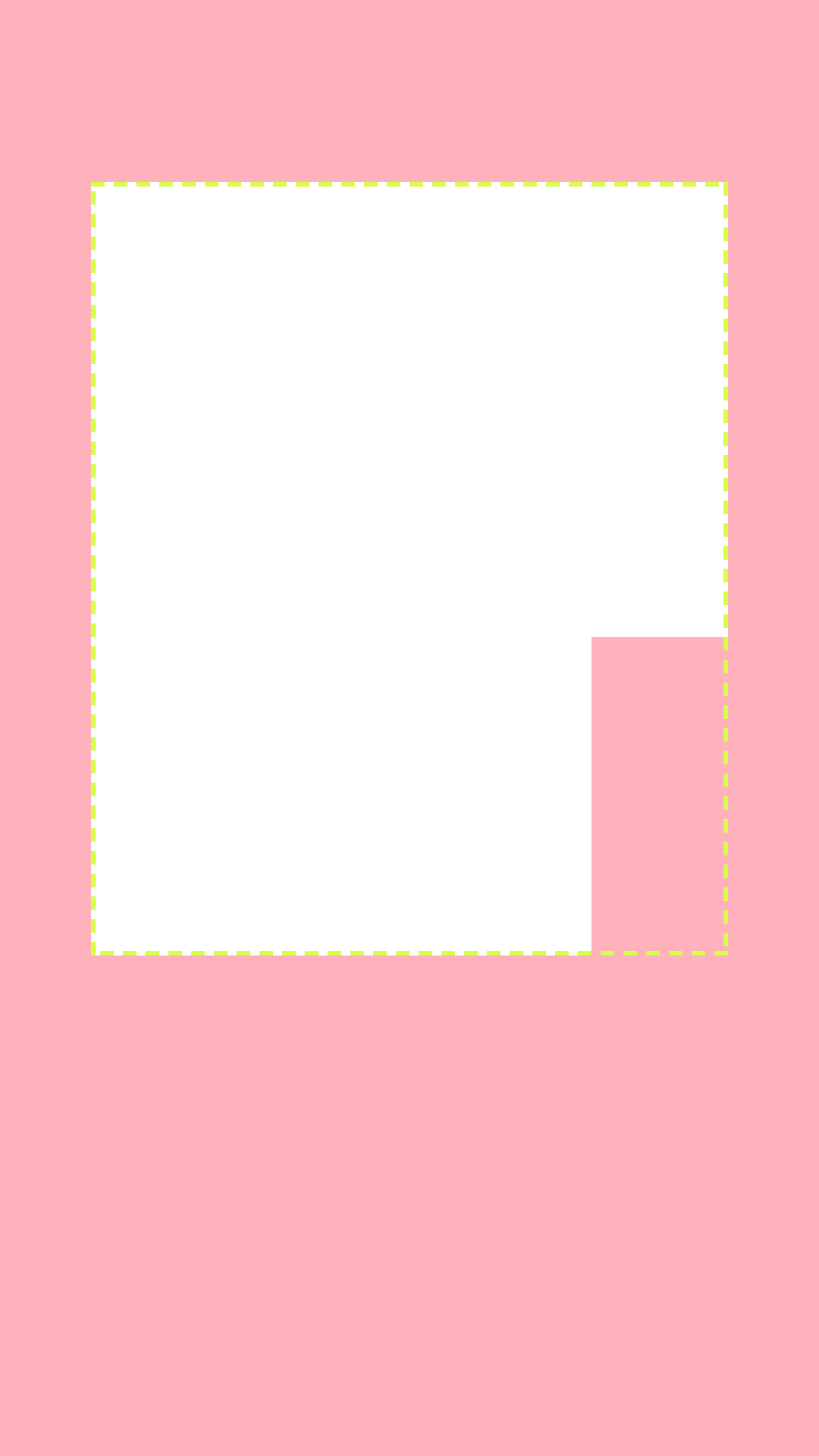
TikTok official safe zone template. Transparent 1080×1920 PNG. Red marks UI: 240 pixels top, 660 bottom, 120 left, 120 right. Also covers Action column. The dashed box is the clear area.
Official · 1080×1920 PNG

TikTok official safe zone template

240 top / 660 bottom / 120 left / 120 right

  • Action column: 300×420 at x=780, y=840

Scaled ×1.5 from TikTok's 720×1280 in-feed template (top 160, bottom 440, sides 80). The right action column is an approximate cited range of about 180–300 px wide starting near y=840; this overlay draws the wide end, 300×420.

TikTok auction in-feed ads · Cited · 2026-10-19

Download official PNG
TikTok measured safe zone template. Transparent 1080×1920 PNG. Red marks UI: 200 pixels top, 500 bottom, 0 left, 250 right. The dashed box is the clear area.
Measured · 1080×1920 PNG

TikTok measured safe zone template

200 top / 500 bottom / 0 left / 250 right

Organic write-ups disagree: top 130–200, bottom 370–500, right rail 140–250. Measured mode draws the high end of that range. A left inset is not consistently published, so it stays 0. See also https://www.socialync.io/tools/safe-zones.

AdKit TikTok safe zone · Measured · 2026-10-19

Download measured PNG

Instagram Reels

Official margins come from the rules file. There is no measured zone for this app, so there is no second PNG.

Instagram Reels official safe zone template. Transparent 1080×1920 PNG. Red marks UI: 269 pixels top, 672 bottom, 65 left, 65 right. The dashed box is the clear area.
Official · 1080×1920 PNG

Instagram Reels official safe zone template

269 top / 672 bottom / 65 left / 65 right

14% top, 35% bottom, 6% each side of a 1080×1920 frame (269 / 672 / 65 / 65), from Meta's Reels ads guide. The Help Center pages cover length and frame rate; the ads-guide percentages were recorded in the 2026-10-19 research pass and are also cited by https://postminion.com/blog/instagram-reels-length-and-size-limits.

Instagram Help — Reels · Cited · 2026-10-19

Download official PNG

YouTube Shorts

Official is the ads guide in the rules file. Measured is a separate overlay from the community numbers stored next to it.

YouTube Shorts official safe zone template. Transparent 1080×1920 PNG. Red marks UI: 288 pixels top, 672 bottom, 48 left, 192 right. The dashed box is the clear area.
Official · 1080×1920 PNG

YouTube Shorts official safe zone template

288 top / 672 bottom / 48 left / 192 right

Taken from Google's vertical ad safe-zone image, also cited by https://www.socialync.io/tools/safe-zones. These margins are for ads. The organic Shorts player is not the same picture.

Google Ads — vertical video specs · Cited · 2026-10-19

Download official PNG
YouTube Shorts measured safe zone template. Transparent 1080×1920 PNG. Red marks UI: 380 pixels top, 380 bottom, 0 left, 0 right. The dashed box is the clear area.
Measured · 1080×1920 PNG

YouTube Shorts measured safe zone template

380 top / 380 bottom / 0 left / 0 right

CheckSafe.Zone lists Shorts top and bottom at 380 px, which disagrees with Google's 288 / 672 ad image. Side insets were not recorded from that page, so measured mode does not invent them.

CheckSafe.Zone · Measured · 2026-10-19

Download measured PNG

Facebook Reels

Official margins come from the rules file. There is no measured zone for this app, so there is no second PNG.

Facebook Reels official safe zone template. Transparent 1080×1920 PNG. Red marks UI: 269 pixels top, 672 bottom, 65 left, 65 right. The dashed box is the clear area.
Official · 1080×1920 PNG

Facebook Reels official safe zone template

269 top / 672 bottom / 65 left / 65 right

Assumed identical to Instagram Reels (14% / 35% / 6% / 6%) because Meta's Reels ads guidance uses one safe zone for both apps. Not confirmed for the Facebook organic player. See also https://sproutsocial.com/insights/social-media-video-specs-guide.

Meta newsroom — Facebook video, June 2025 · Cited · 2026-10-19

Download official PNG

All apps

The clear area is the intersection of the official safe zones. Each edge uses the largest inset in the rules file, and every extra UI rectangle is included. X is left out, because that app has no safe zone.

All apps safe zone template. Transparent 1080×1920 PNG. Red marks UI: 288 pixels top, 672 bottom, 120 left, 192 right. Also covers Action column. The dashed box is the clear area.
Official · 1080×1920 PNG

All apps safe zone template

288 top / 672 bottom / 120 left / 192 right

  • Action column: 300×420 at x=780, y=840

Each edge uses the largest inset published for this mode, plus every extra UI rectangle (such as TikTok's action column). Platforms without a number for this mode are left out.

Combined from rules 2026.10.21 · Cited · 2026-10-19

Download all-apps PNG